AI Support for Insurance Agencies: What to Automate
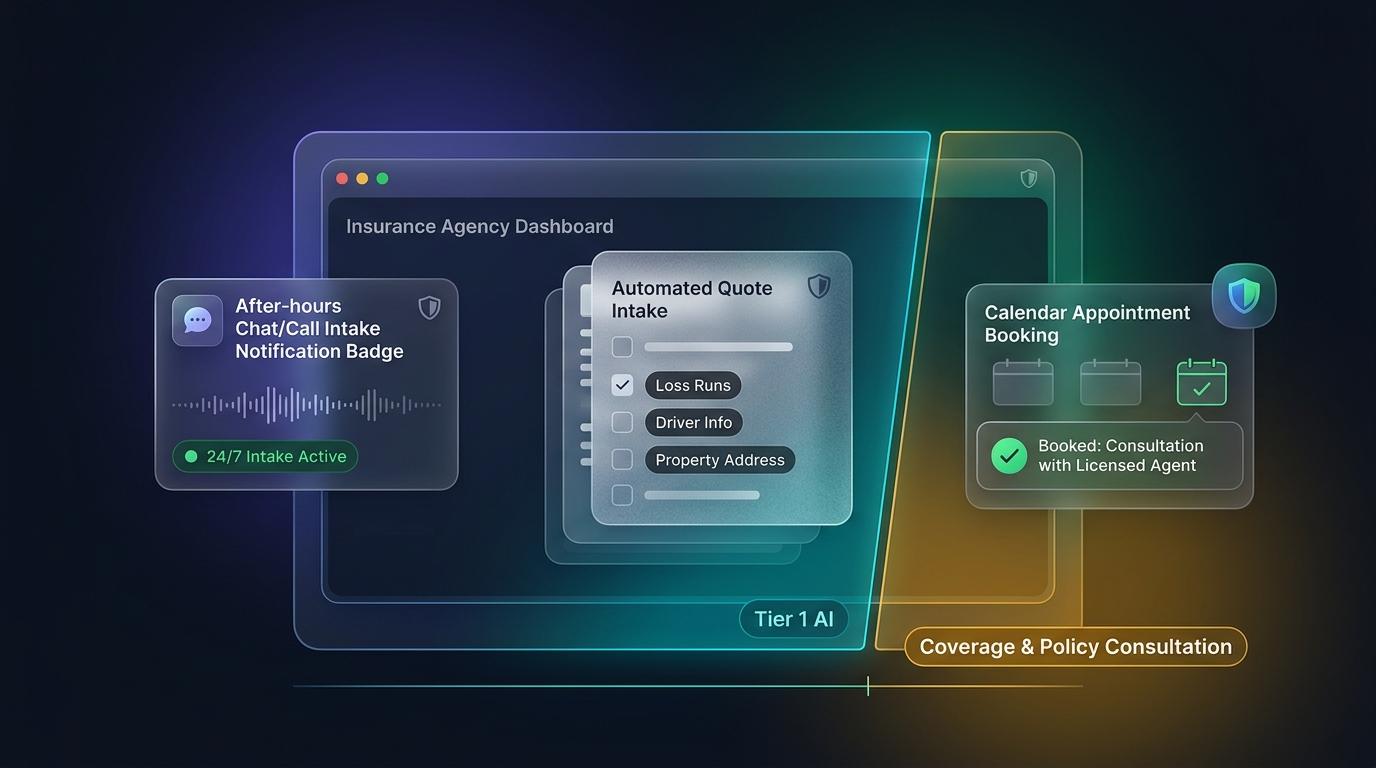
An insurance agency can hand most of its after-hours calls to an AI agent. Intake, scheduling, document requests and general questions are safe work for it. Coverage advice, claim decisions and changes to a policy are not. Drawing that line is the main job when you set this up, and most of the regulation sits on the advice side.
Where agencies lose time and quotes
Most agency calls are repeat questions. What documents do you need for a quote? Are you open Saturday? Does my policy renew this month? Many of those calls come in after hours, when nobody is at the desk. A voicemail is a quote request the agency now has to chase, and by the time someone calls back, the prospect may have called a competitor.
An AI agent answers that first call, collects the details an agent needs and books the follow-up. The value is in the first response, not in replacing the agent. For a breakdown of pricing models across flat tiers and per-resolution metering, see our guide on how much an AI customer support agent costs.
What an AI agent can safely handle
- Answering after-hours calls and website chat, and recording the caller's name, contact details and reason for calling.
- Quote intake. The agency decides which questions to ask, such as vehicle details or property address, and the agent collects the answers in the same order each time.
- Booking a call-back or consultation with a licensed agent through calendar sync.
- Answering questions from your own documents, such as office hours, what to bring for a policy review, or how to report a claim in general terms.
- Handing off to a person with the full transcript, so the caller doesn't repeat everything (for escalation setups, see how to integrate AI support chatbots with Slack and Teams).
Sentrup's knowledge base answers from the documents you upload, so the agent isn't drawing on general knowledge about insurance. The booking is confirmed in your calendar before the conversation closes. Our product materials don't document connections to claims systems or agency management software, so check integrations before you plan around them. While enterprise teams evaluating high-ticket contact center tools often look at Decagon alternatives, independent agencies typically need immediate phone intake, grounded FAQs, and calendar booking without enterprise platform minimums.
Where the rules apply
Two rules matter most, and neither is a reason to avoid AI. They are reasons to set it up carefully.
The first is consent for outbound calls. In February 2024, the FCC ruled that AI-generated voices count as "artificial or prerecorded voice" under the Telephone Consumer Protection Act. Calls made with an AI voice generally need prior express consent. That covers outbound calls such as follow-ups on old leads. A call that the customer starts is a different case, but ask counsel how your lead sources and state rules apply before you turn on outbound calling.
The second is insurer oversight. The NAIC AI Model Bulletin asks insurers to keep a written AI program, to oversee third-party AI vendors, and to keep documentation that regulators can request. Adoption happens state by state. A July 2026 vendor count puts the total at 25 states, with more in progress. That count hasn't been confirmed against NAIC's own map, so check it there. The bulletin is written for insurers, not agencies, so ask your carriers what they expect from any AI you use with their policies.
Where AI should stop
Coverage advice stays with a licensed agent. When a caller asks whether they need flood coverage or what their deductible means for a particular claim, the AI should book the conversation with a person, not answer it.
Claim decisions and status promises stay with a person too. The AI can log a claim, route it and tell the caller what happens next in your process. It shouldn't promise approval or a payment date.
Cancellations and endorsements need human sign-off, even when the AI takes the request. These change the policy itself, so the AI's job is to capture the request accurately and route it.
Our position: start with intake
Start with after-hours answering and intake, because that's where the risk is lowest and the payoff comes fastest. Add scheduling once intake is clean. Don't let the AI answer coverage questions until you have reviewed a sample of its answers against your own rules.
Test on real call logs for two weeks before you widen the scope. Check the escalation path first, since a caller stuck in a loop is the most common way a good setup goes wrong. A grounded agent that answers from approved documents is easier to audit than one drawing on general knowledge. That's a reason to check its answers, not a reason to trust them without checking. If you are exploring how to deploy 24/7 intake and call routing for your agency, explore our AI customer service software.
Frequently asked questions
Can an AI agent give insurance advice?
It shouldn't. Keep coverage recommendations and claim decisions with a licensed agent. Intake, routing and answers from approved documents are the safer work.
Do AI calls to leads need consent?
For outbound calls that use an AI voice, the FCC has ruled that prior express consent is generally required under the TCPA. Ask counsel about your lead sources and your state's rules before you start.
Does the NAIC AI Model Bulletin apply to my agency?
The bulletin is written for insurers, and it applies in states that adopt it. Agencies should ask their carriers what they expect from any AI used with their policies.
How do I start setting this up?
Start with the questions your team answers most often. Pull them from your call log, write approved answers, and define the intake fields. Then test with real calls before you open the system to customers.
Sources
- Hunton Andrews Kurth, on the FCC's February 8, 2024 declaratory ruling on AI-generated voices under the TCPA, published February 12, 2024.
- Quarles, on state adoption of the NAIC AI Model Bulletin, April 2, 2025.
- Openlayer, "NAIC AI Model Bulletin: What Insurers Must Prepare for in July 2026," July 28, 2026.
On this page
Ready to automate your support?
Deploy Sentrup in 5 minutes and resolve 80% of tickets instantly.
Get Started for Free